Requirements
The unit
mibpkg runs on a MIB2 High unit, model MHI2 or MHI2Q, on QNX 6.5. You do not need to
tell the two models apart to install.
To check:
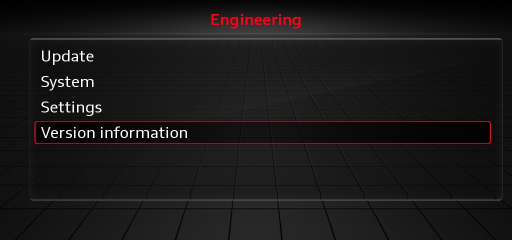
- In the car, hold NAV/MAP and MEDIA together for about 7 seconds to open the engineering menu.
- Choose Version information.
- The Current version line starts with
MHI2orMHI2Qon a supported unit. - Hold NAV/MAP and MEDIA again to leave the menu; Back does not exit it.
Warning
Other MIB2 variants and other platforms are not supported. The package format and the boot hook are specific to the MIB2 High.
What you need
| Item | Notes |
|---|---|
| An SD card | Any size; 2 GB is plenty |
| A computer with an SD reader | macOS, Windows or Linux |
mibpkg-sd-<version>.zip |
The release image |
| About 15 minutes | The unit reboots a few times during install |
What the installer changes
mibpkg installs on the writable app partition. It does not reflash the IFS image. It adds:
- the
mibpkgdirectory and its collection; - a boot hook that starts the supervisor;
- a GEM entry for the status and recovery buttons;
- firewall rules for the web interface on the hotspot.
Every stock file it touches is backed up once, and uninstalling restores it. See Safety and recovery.